
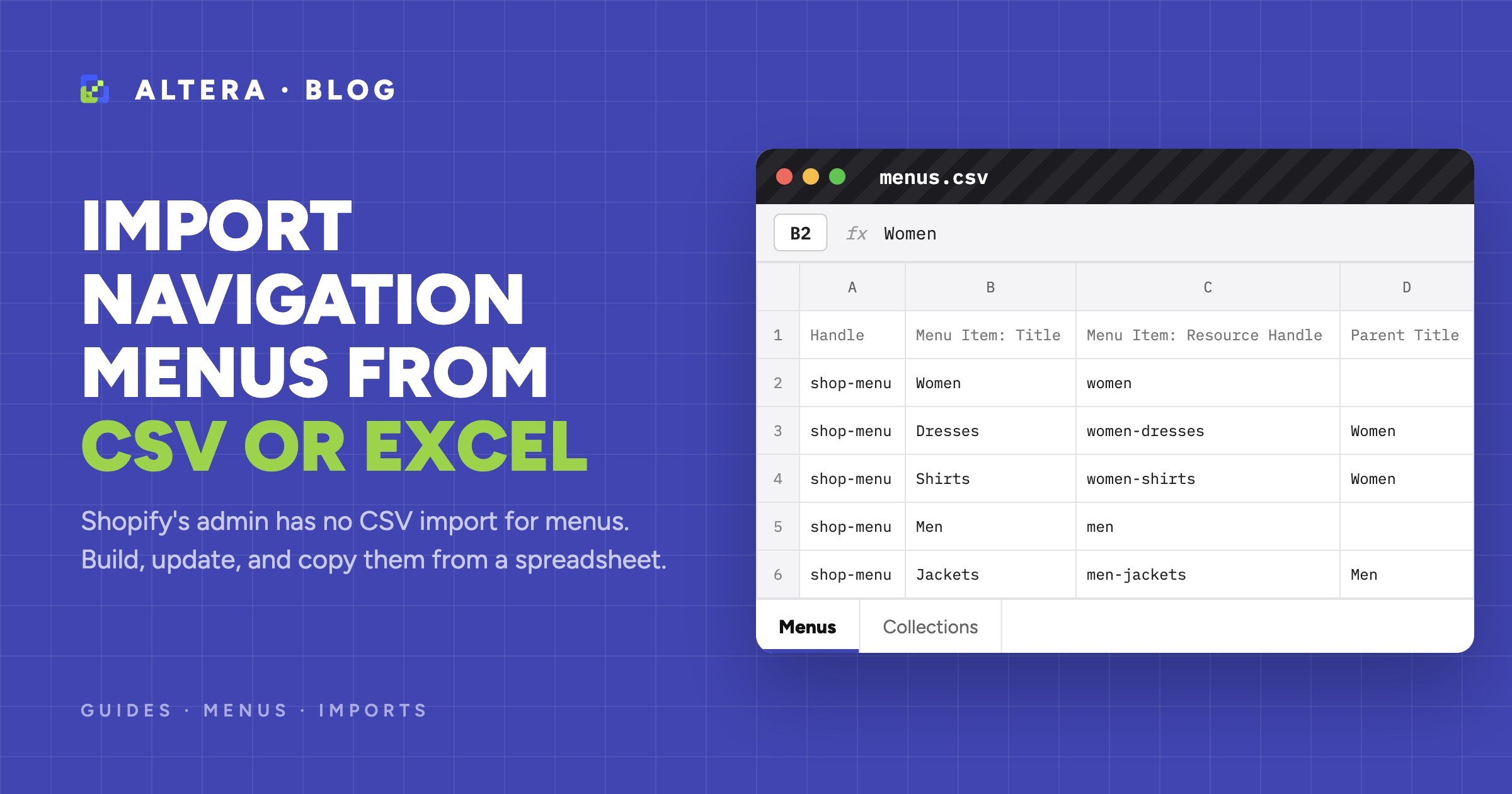
The Shopify admin has no CSV import for navigation menus. You build menus item by item under Content > Menus. To create a large menu from a spreadsheet, or copy one to another store, use an import app such as Altera, with one row per menu item.
This guide shows how the file works, how to link items by handle, how to change one item without rebuilding the menu, and how to copy a menu between stores.
What Shopify offers for menus#
- The admin editor. In Content > Menus, you add each item and drag it into place. See Menus and links.
- The Admin API. Developers can use
menuCreateandmenuUpdate.
Shopify’s CSV files article lists CSV import and export for products, customers, inventory, and admin and POS users, and export only for orders and discounts. It does not list menus. Shopify’s duplicate store guide also lists rebuilding your menus as a step for you to do after you copy a store.
How deep a menu can go#
A top-level item can have up to two levels of nested drop-down menus, so a menu has three levels at most. Your theme decides how the levels look, including whether a large drop-down shows as a mega menu. A mega menu in the file is the same as any other menu: top-level items, then nested collection links.
The file: one row per menu item#
This sample creates a menu with two levels. It links to collections, a page, and a blog by handle, and has one external link.
Handle,Command,Title,Menu Item: Title,Menu Item: Resource Type,Menu Item: Resource Handle,Menu Item: URL,Menu Item: Parent Title,Menu Item: Position
shop-menu,MERGE,Shop menu,Women,COLLECTION,women,,,1
shop-menu,,,Dresses,COLLECTION,women-dresses,,Women,1
shop-menu,,,Shirts,COLLECTION,women-shirts,,Women,2
shop-menu,,,Men,COLLECTION,men,,,2
shop-menu,,,Jackets,COLLECTION,men-jackets,,Men,1
shop-menu,,,Size guide,PAGE,size-guide,,,3
shop-menu,,,Journal,BLOG,news,,,4
shop-menu,,,Wholesale,HTTP,,https://wholesale.example.com,,5
The hierarchy columns look like this in a spreadsheet:
| Menu Item: Title | Menu Item: Parent Title | Menu Item: Position |
|---|---|---|
| Women | 1 | |
| Dresses | Women | 1 |
| Shirts | Women | 2 |
| Men | 2 | |
| Jackets | Men | 1 |
| Size guide | 3 |
What each column does:
Handlegroups the rows of one menu and finds an existing menu. Use the same handle on every row.Titleis the name of the menu. A new menu needs it on the first row.Commandis what happens to the menu. UseMERGEto update the menu or create it.Menu Item: Titleis the text that customers see. Every item needs one.Menu Item: Resource Typeis what the item links to, in capital letters.Menu Item: Resource Handleis the handle of the collection, product, page, or blog.Menu Item: URLis the link for anHTTPitem.Menu Item: Parent Titleputs the item under another item. Leave it blank for a top-level item.Menu Item: Positionsets the order among items with the same parent, starting at 1.
For all columns, see Menu fields.
Put a parent’s row above the rows of its children. If an item names a parent that is not above it in the file, the item goes to the top level, and the results don’t show a message for this.
When two parents have the same title, an item goes under the closest row above it with that title. So you can have Shoes under both Women and Men, as long as each block of rows stays together.
Link items by handle, so the file works on another store#
A menu link by ID works only on the store where the ID exists. A link by handle works on any store with the same handle. Altera finds the resource by its handle for these types:
| Menu Item: Resource Type | Menu Item: Resource Handle |
|---|---|
COLLECTION | women-dresses |
PRODUCT | linen-apron |
PAGE | size-guide |
BLOG | news |
ARTICLE | news.summer-lookbook (the blog handle, a period, and the article handle) |
For a link to anywhere else, use the type HTTP and fill in Menu Item: URL with a path such as /pages/contact or a full URL.
Create the collections, products, and pages before you import the menu. In one workbook with several sheets, Altera imports menus after those data types.
Walkthrough: edit a menu with Altera#
1. Export the current menu#
In Altera, click New export and select Menus. You can filter by title or ID. The file has the exact columns for your menus, and it is also your backup.
2. Edit the file in Excel#
Add or change rows, and delete the rows of the items and menus that you don’t want to touch. Items that are not in the file stay in the menu when you use MERGE.
3. Upload the file and check the analysis#
Upload the file from the Altera home page. Altera detects the data type and shows the columns that it recognizes. Before the import starts, it reports a file with no Menu Item: Title column (MENU001), and an item that is its own parent by ID (MENU008).
4. Start the import and check the menu#
Click Start import. When the job is done, download the results file and check the Import Comment column. Then open the menu in Content > Menus.
A new menu does not show on your store until you select it in your theme. Shopify’s Menus and links article explains this.
Update one item without rebuilding the menu#
With MERGE on the menu, only the items in the file change. The other items stay as they are. The Menu Item: Command column decides what happens to each item:
| Menu Item: Command | Item exists | Item does not exist |
|---|---|---|
MERGE (or blank) | Updates it | Adds it |
NEW | Skips it | Adds it |
DELETE | Removes it | Skips it |
Altera finds an item by Menu Item: ID, and then by its title. To rename an item, include its Menu Item: ID. Without the ID, a new title adds a new item.
This file removes one item from the main menu, adds a new item at position 2, and adds an item under Women:
Handle,Command,Menu Item: Title,Menu Item: Command,Menu Item: Resource Type,Menu Item: Resource Handle,Menu Item: Parent Title,Menu Item: Position
main-menu,MERGE,Size guide,DELETE,,,,
main-menu,,Sale,MERGE,COLLECTION,sale,,2
main-menu,,Skirts,MERGE,COLLECTION,women-skirts,Women,3
Two limits apply to existing items:
Menu Item: Positionplaces new items only. It does not move an item that is already in the menu.Menu Item: Parent Titleplaces new items only. It does not move an existing item under another parent.
To reorder or restructure a menu that you created, set the menu Command to REPLACE. Altera deletes the menu and creates it again from your file, with a new menu ID. Theme settings that use the handle usually keep working. Anything that uses the ID must be linked again.
REPLACE does not suit default menus, such as the main menu and the footer, because Shopify doesn’t allow them to be deleted. To reorder a default menu, drag the items in the admin. To clear items from it, use Menu Item: Command set to DELETE.
The Is Default column shows in exports, but the import does not change it.
Copy a menu to another store#
Install Altera on both stores. Then:
- In the source store, export Menus.
- In the destination store, make sure that the collections, products, pages, and blogs exist with the same handles.
- In the destination store, upload the file and start the import.
The IDs in the file belong to the source store, so they don’t match. Altera falls back to Handle for the menu and to the title for each item.
Check these items after a copy:
- Default menus keep their items. A new store already has a
main-menu. The import adds your items and leaves the existing ones. Remove what you don’t need with aDELETErow. - Some links need a URL. Links to shop policies, metaobject pages, and customer account pages don’t resolve by handle. In a new menu, they become a
#link with a MENU009 warning. Change these rows to the typeHTTPwith a URL such as/policies/refund-policy.
To copy a whole store in the right order, see How to duplicate a Shopify store.
Common errors and fixes#
MENU009: a resource handle can’t be resolved. A collection, product, page, or blog with that handle is not on the store, or the handle has a typo. The menu still imports. A new item becomes a # link, and an existing item keeps its current link. Fix the handle, or create the resource and import again.
MENU001: no menu items. The file has no Menu Item: Title column. In an export, select the General and Menu items field groups.
MENU005: an item title is empty. Fill in Menu Item: Title on every item row.
MENU006: the menu title is empty. A new menu needs Title on its first row.
MENU007 and MENU008: a circular parent. An item is its own parent or ancestor. Check Menu Item: Parent ID and Menu Item: Parent Title.
MENU011: REPLACE in Menu Item: Command. Items accept only MERGE, NEW, and DELETE. To replace all the items, put REPLACE in the menu Command column.
A nested item shows at the top level. The parent title has a typo, or the parent row is below the item. Fix the file. To move an item that already exists, use REPLACE on the menu or drag it in the admin.
The menu imports but doesn’t show on the store. Select the menu in your theme settings.
Before you run an import on a live store, export the menu as a backup. The Import best practices article has a checklist.
Recent menu changes in Altera#
FAQ#
Can I import a menu into Shopify from a CSV?#
Not in the Shopify admin. Shopify’s CSV files article does not list menus. An import app such as Altera reads a CSV or Excel file with one row per menu item and creates the menu. You can also use the Admin API.
How do I create a mega menu in bulk?#
Make a file with one row per link. Put the top-level items and column headings first, and name their parent in Menu Item: Parent Title for the links below them. Shopify allows three levels in total. Import the file, select the menu in your theme, and check that your theme shows the levels the way you want.
How do I copy a Shopify menu to another store?#
Export Menus with Altera on the source store, and import the file on the destination store. Links by handle find the collections, products, pages, and blogs with the same handles. Create those first.
Can I update one menu item without changing the others?#
Yes. Set the menu Command to MERGE and include only the rows of the items that you change. Items that are not in the file stay as they are.
Do I need a paid plan to import menus?#
No. The free Starter plan imports up to 10 items of each data type per import, and a menu with all its links counts as one item. Altera Pro has no item limit.